GBP by the Numbers
Your Google Business Profile is one of the most powerful free marketing tools available to HVAC contractors. Here's why it deserves your attention.
46%
of all Google searches have local intent
60%+
increase in calls after GBP optimization
98%
of consumers read online reviews for local businesses
42%
of local clicks go to the Map Pack
Why Your GBP Matters More Than Your Website
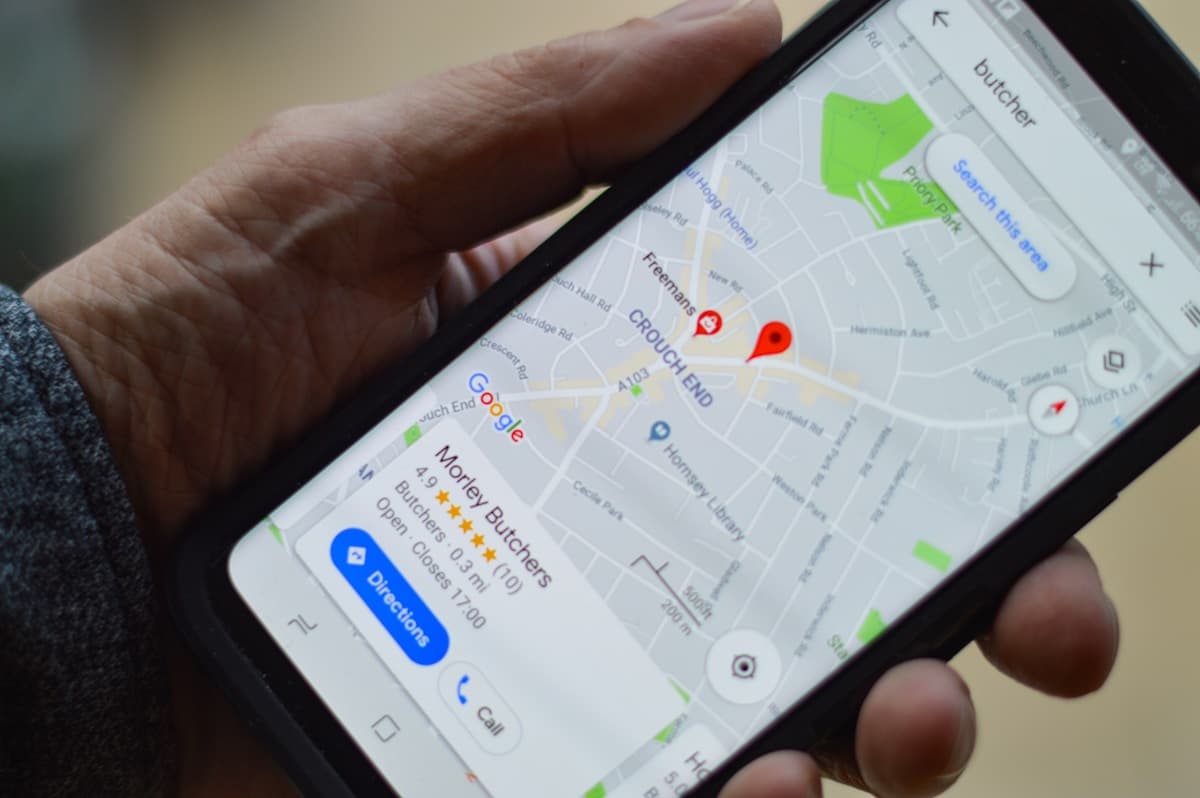
When a homeowner's AC breaks down in July, they grab their phone and search "AC repair near me." The first thing they see isn't your website. It's the Google Map Pack: three local businesses with star ratings, phone numbers, and hours of operation.
That Map Pack gets roughly 42% of all clicks on the page. Organic results below it split the rest. If your business isn't showing up in those top three spots, you're invisible to almost half the people searching for your services.
Your Google Business Profile is what powers your Map Pack listing. It controls your business name, address, phone number, reviews, photos, hours, and service details. For many HVAC companies, the GBP generates more phone calls than the website itself, because mobile users tap "Call" directly from the listing without ever visiting your site.
The good news: optimizing your GBP is free, and most of your competitors haven't done it properly. A fully optimized profile with strong reviews can outperform a competitor spending thousands on ads. Let's walk through exactly how to do it.
1) Claim and Verify Your Profile
Before you can optimize anything, you need to own your listing. Google may have already created a basic profile for your business based on public data, but you need to claim it to control the information.
Search for Your Business
Go to Google Maps and search your exact business name. If a listing exists, click it and look for the "Claim this business" or "Own this business?" link.
Sign in With Your Google Account
Use a company Google account, not a personal one. This keeps access organized if you ever bring on staff or hire an agency.
Complete Verification
Google will verify you actually own this business. You may be offered verification by postcard (5-14 days), phone call (instant), email, or video. Phone and email are fastest when available.
Access Your Dashboard
Once verified, you can manage your profile through Google Business Profile Manager at business.google.com or directly from Google Search.
Already Have a Listing?
If someone else claimed your business (a former employee or a previous marketing agency), you can request ownership transfer through Google. Go to your listing, click "Request access," and Google will contact the current owner. If they don't respond within 7 days, you can appeal to get access.
2) Choose the Right Categories
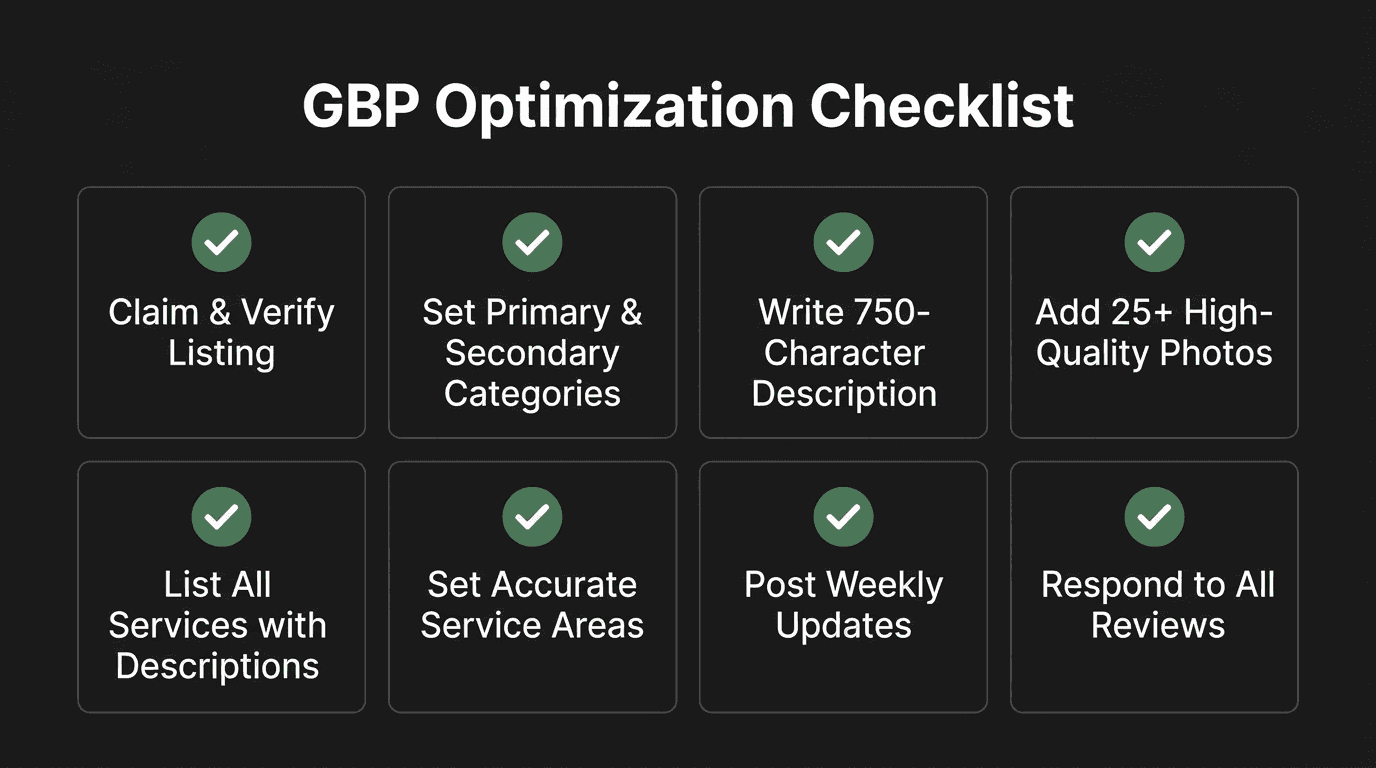
Categories are one of the strongest ranking signals for Google Maps. Your primary category tells Google what your business is, and your secondary categories tell Google what you also do. Getting these right is critical.
Primary Category
Set this to "HVAC contractor". This is your main business type and has the most impact on which searches you appear for. Don't use "Air conditioning contractor" as primary unless you exclusively do AC work with no heating services.
Recommended Secondary Categories
- Air conditioning repair service
- Air conditioning contractor
- Furnace repair service
- Heating contractor
- Air duct cleaning service (if you offer it)
- Heat pump supplier/installer (if applicable)
Don't Over-Categorize
Only add secondary categories for services you actually provide. Adding "Plumber" when you don't do plumbing work will dilute your relevance for HVAC searches. Stick to 4-6 categories that accurately describe your business.
3) Complete Every Single Field
Google rewards completeness. Businesses with fully filled-out profiles are 2.7x more likely to be considered reputable by consumers and rank higher in local search results. Go through every field Google offers and fill it out properly.
Business Description
You get 750 characters. Use them wisely. Lead with your primary services and service area, include a few natural keywords, and end with what sets you apart. Don't stuff keywords or use ALL CAPS.
Example: "Family-owned HVAC contractor serving Tampa Bay since 2005. We provide air conditioning repair, AC installation, furnace repair, and preventive maintenance for residential and commercial customers. Licensed and insured with 24/7 emergency service. Our technicians are NATE-certified and we offer upfront pricing with no hidden fees. Call today for a free estimate."
Fields Checklist
- Business hours - Include regular hours AND special hours for holidays. Update seasonally if your hours change.
- Emergency/after-hours - If you offer 24/7 service, enable the "More hours" section and add your emergency availability.
- Service areas - Add every city, neighborhood, and zip code you serve. Don't go too broad. A 30-mile radius is typical for HVAC.
- Phone number - Use a local number, not a toll-free 800 number. Local numbers perform better in local search.
- Website URL - Link to your homepage or a dedicated landing page. Make sure it loads fast on mobile.
- Appointment URL - If you have online booking, add it. This gives customers another way to convert.
- Attributes - Check every relevant attribute: veteran-owned, woman-owned, offers free estimates, provides emergency services, etc.
- Opening date - Add when your business started. Longevity builds trust.
4) Photos That Build Trust
Businesses with more than 100 photos get 520% more calls than the average business, according to Google's own data. You don't need a professional photographer. You need consistent, authentic images that show real work and real people.
Aim for a minimum of 20 photos to start, then add 2-3 new photos every week. Google favors profiles with fresh, regularly updated content.
Types of Photos to Upload
Team Photos
Headshots of your technicians in uniform. Group photos in front of your shop. Customers want to see the people showing up at their door. Real faces build trust faster than stock photos.
Branded Trucks & Vehicles
Your wrapped service vehicles are mobile billboards. Clean, well-maintained trucks signal professionalism. Take photos in good lighting with your branding clearly visible.
Completed Work
Before-and-after photos of installations. New AC units on concrete pads. Ductwork upgrades. Thermostat installs. These prove you do quality work.
Office & Warehouse
Your storefront, reception area, parts inventory. Even if your office is modest, showing it proves you're a real, established business and not a fly-by-night operation.
Photo Tips
- • Use good natural lighting. Avoid dark, blurry shots.
- • Take photos in landscape orientation (horizontal), not portrait.
- • Minimum 720px wide. Most modern phones easily exceed this.
- • Remove EXIF data if you don't want location metadata public, but including it can help local relevance.
- • Ask technicians to snap a quick photo after every installation. Build it into your workflow.
5) Build a Review Generation System
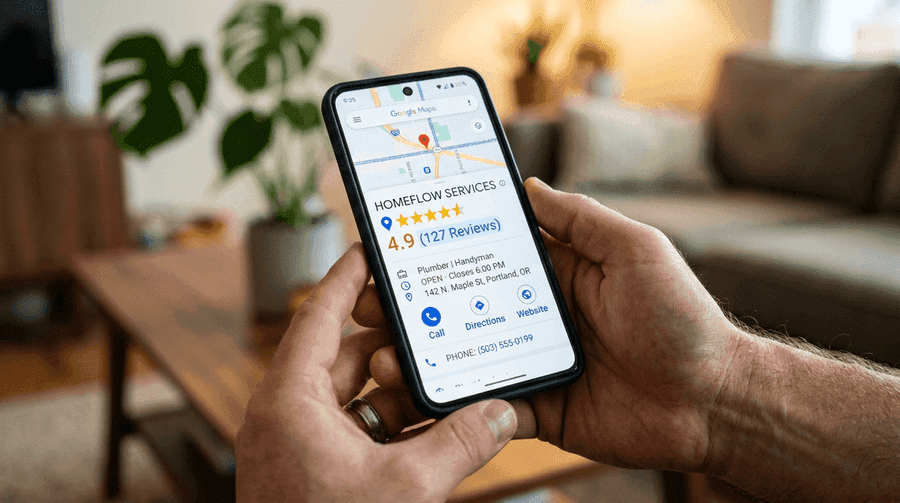
Reviews are the single biggest factor in both Map Pack rankings and customer decision-making. A business with 150 reviews at 4.7 stars will almost always outrank a competitor with 12 reviews at 5.0 stars. Volume and recency matter just as much as the rating itself.
When to Ask for Reviews
The best time to ask is immediately after a successful service call, while the customer is still happy with the result. Train your technicians to say something like: "We're glad we could get your AC running again. Would you mind leaving us a quick Google review? It really helps our small business."
Automate Your Review Requests
Don't rely on technicians remembering to ask every time. Set up an automated SMS or email that goes out 1-2 hours after a completed service call. Include a direct link to your Google review form (you can create a shortlink from your GBP dashboard).
SMS Template: "Hi [Name], thanks for choosing [Company] today! If you were happy with the service, a quick Google review would mean a lot to our team: [review link]. Thank you!"
Responding to Reviews
Respond to every single review within 24 hours, positive and negative. For positive reviews, thank the customer by name and mention the specific service. For negative reviews, stay professional, acknowledge the issue, and offer to make it right offline. Never argue publicly.
Handling Negative Reviews
A thoughtful response to a negative review can actually help your business. Potential customers read how you handle complaints. A response like "We're sorry about your experience, [Name]. We'd like to make this right. Please call our office at [number] so we can resolve this for you" shows accountability and professionalism. For more on building a review system, read our guide on automating HVAC review requests.
6) Use Google Posts Weekly
Google Posts are short updates that appear directly on your business listing. Think of them as mini social media posts, but they show up in Google Search and Maps results. Posts signal to Google that your business is active, which helps rankings.
Post at least once per week. Each post lasts about 7 days before it gets archived, so consistent posting keeps your profile looking fresh and active.
What to Post
Seasonal Promotions
"Get your AC tuned up before summer. Schedule a maintenance visit this month and save $50." Tie offers to the season and create urgency.
Service Highlights
Spotlight a specific service each week. "Did you know we offer ductless mini-split installation? Perfect for room additions and garages." Educate and generate interest.
Before/After Projects
Share a recent job with photos. "Just replaced a 20-year-old system with a high-efficiency Trane unit for a family in [neighborhood]." Real work builds credibility.
Tips & Advice
"Change your air filter every 30-60 days during summer. A dirty filter makes your system work harder and costs you more on energy bills." Helpful content builds trust.
Post Formatting Tips
Keep posts under 300 words. Include a photo with every post. Always add a call-to-action button (Call Now, Learn More, Book). Use the "Offer" post type for promotions so Google displays start and end dates. Include relevant keywords naturally, like "AC repair in [city]" or "furnace maintenance."
7) Fill Out the Services & Products Section
The Services section in your GBP is an underused feature that most HVAC companies ignore. Every service you list is another keyword opportunity, and it gives customers a clear picture of what you offer before they even visit your website.
List every service individually, not as a combined entry. Each service gets its own name, description, and optional price range.
Services to List
- AC Repair - "Fast, reliable air conditioning repair for all makes and models. Same-day service available. Upfront pricing with no overtime charges."
- AC Installation - "Expert air conditioning installation for residential and commercial properties. Free estimates. We carry Trane, Carrier, Lennox, and more."
- Furnace Repair - "Furnace not heating? Our NATE-certified technicians diagnose and repair all furnace types including gas, electric, and oil."
- Furnace Installation - "Professional furnace installation with proper load calculations and ductwork evaluation. Financing options available."
- HVAC Maintenance / Tune-Up - "Preventive maintenance plans to keep your system running efficiently. Annual tune-ups extend equipment life and prevent breakdowns."
- Duct Cleaning - "Professional air duct cleaning to improve indoor air quality and system efficiency. Recommended every 3-5 years."
- Heat Pump Services - "Heat pump installation, repair, and maintenance. Energy-efficient heating and cooling in one system."
- Indoor Air Quality - "Air purifiers, humidifiers, UV lights, and filtration systems to improve the air your family breathes."
- Emergency HVAC Service - "24/7 emergency heating and cooling repair. No extra charge for after-hours service calls."
Add Pricing Ranges
You don't need to list exact prices, but adding ranges like "$89-$150" for a diagnostic or "$4,500-$12,000" for a system replacement helps set expectations and qualifies leads before they call. Customers appreciate transparency, and it reduces tire-kicker calls.
Common GBP Mistakes That Hurt Your Rankings
Even well-intentioned HVAC companies make mistakes that can tank their Map Pack visibility or get their listing suspended. Avoid these common pitfalls.
Keyword Stuffing Your Business Name
Your GBP business name must match your real-world business name exactly. Adding keywords like "Best AC Repair Tampa | Smith HVAC" violates Google's guidelines and can result in a suspension. If your legal name is "Smith Heating and Cooling," that's what goes in the name field. Period.
Wrong or Fake Address
If you operate from home and don't want to show your address, use the service-area business option instead of entering a fake commercial address. Using a P.O. Box, UPS Store, or virtual office address is against Google's terms and will get you suspended when they catch it.
Inconsistent NAP (Name, Address, Phone)
Your business name, address, and phone number must be identical everywhere: your GBP, website, Yelp, Facebook, BBB, and every other directory. Even small differences like "St" vs "Street" or "LLC" vs no "LLC" can confuse Google and weaken your local rankings. Audit your citations regularly. Learn more about how your website design affects lead generation.
Ignoring the Q&A Section
Anyone can ask (and answer) questions on your GBP listing. If you don't monitor this, competitors or unhappy customers can post misleading information. Check your Q&A section weekly. Better yet, seed it yourself by posting and answering common questions like "Do you offer financing?" or "What areas do you serve?"
Never Posting Updates
An inactive profile signals to Google that your business may not be active. If your last post or photo was from a year ago, you're sending the wrong signal. Set a weekly calendar reminder to publish a new post and upload a few photos.
Put It All Together
Optimizing your Google Business Profile isn't a one-time task. It's an ongoing process that compounds over time. The HVAC companies that dominate the Map Pack are the ones that consistently add photos, collect reviews, publish posts, and keep their information accurate.
Start with the basics: claim your profile, set the right categories, and fill out every field. Then build momentum with reviews and posts. Within 60-90 days of consistent optimization, most HVAC companies see a measurable increase in Map Pack visibility and phone calls.
If you want to learn more about growing your HVAC business online, check out our guides on hiring the right HVAC marketing agency and fixing your HVAC website design. For a comprehensive look at your HVAC business's online presence, see how we help HVAC companies.